← Back to SCT ScreenDream $4.99

Screensavers for macOS

Remember screensavers? They’re back.

ScreenDream brings back the joy of the 90s screensaver for today’s Mac. 28 of them and counting, from flying breakfast to a pixel-art ski run, waiting in your menu bar for the moment you step away.
Coming soon to the Mac App Store See all 28 →
$4.99 · One-time purchase · Requires macOS 26 or later
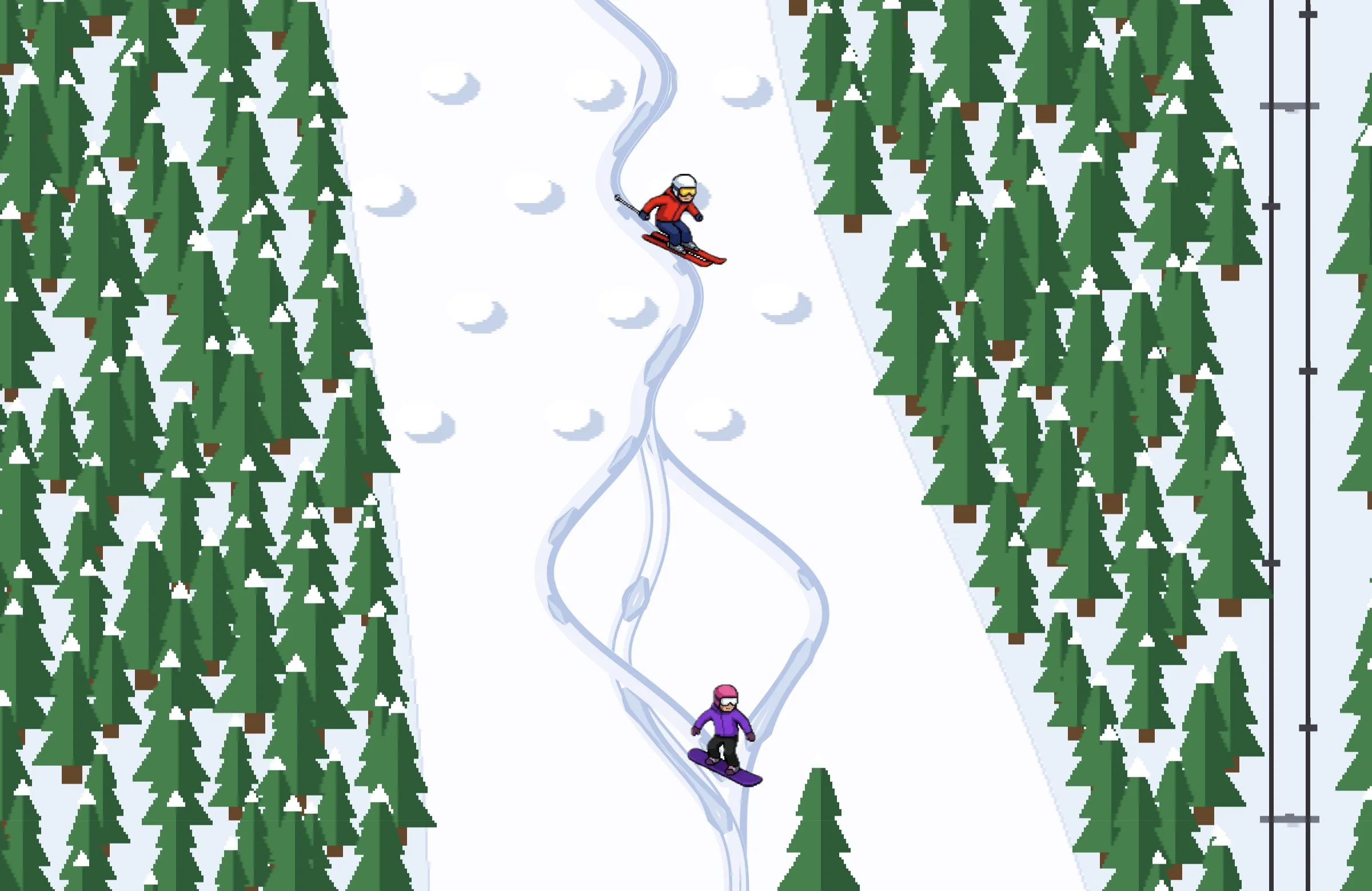
Slopestyle: a pixel-art skier and snowboarder carving down a snowy run between pine trees
SCREENDREAM

Slopestyle. Skiers and snowboarders weave through moguls, catch air off the jumps, and now and then wipe out.
28
screensavers today, with more on the way
$4.99
once. No subscription, no ads
Every
display gets its own show
0
trackers, accounts or analytics
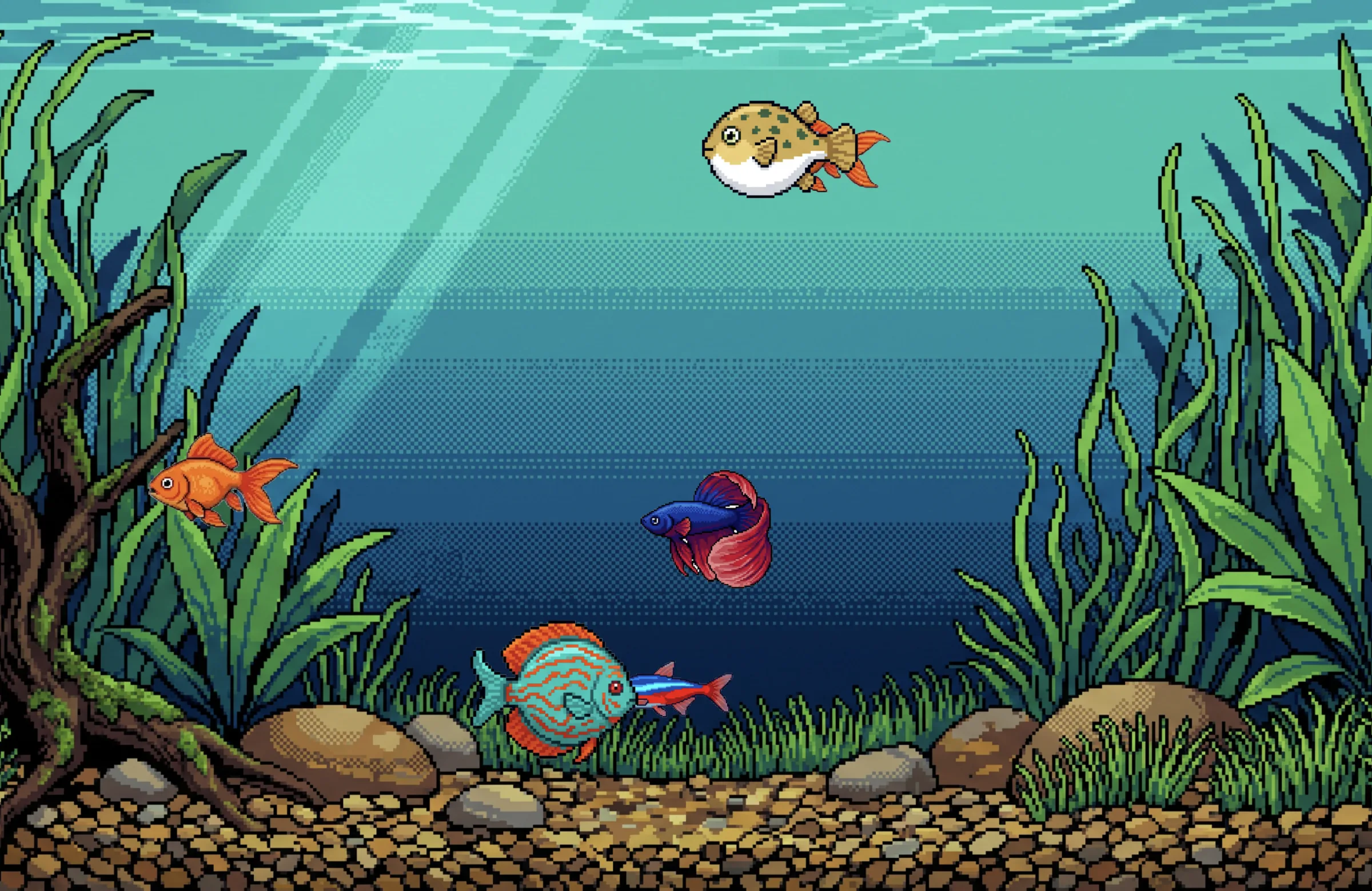
Fish Tank: a goldfish, betta, pufferfish, discus and neon tetra in a pixel-art aquarium

Something to watch

A fish tank that never needs cleaning

A goldfish, a betta and a pufferfish drift through swaying plants while bubbles rise toward the light. Choose a few fish or a crowd.

Want something calmer? Fish Tank 2000 swaps in lifelike fish and a planted tank.
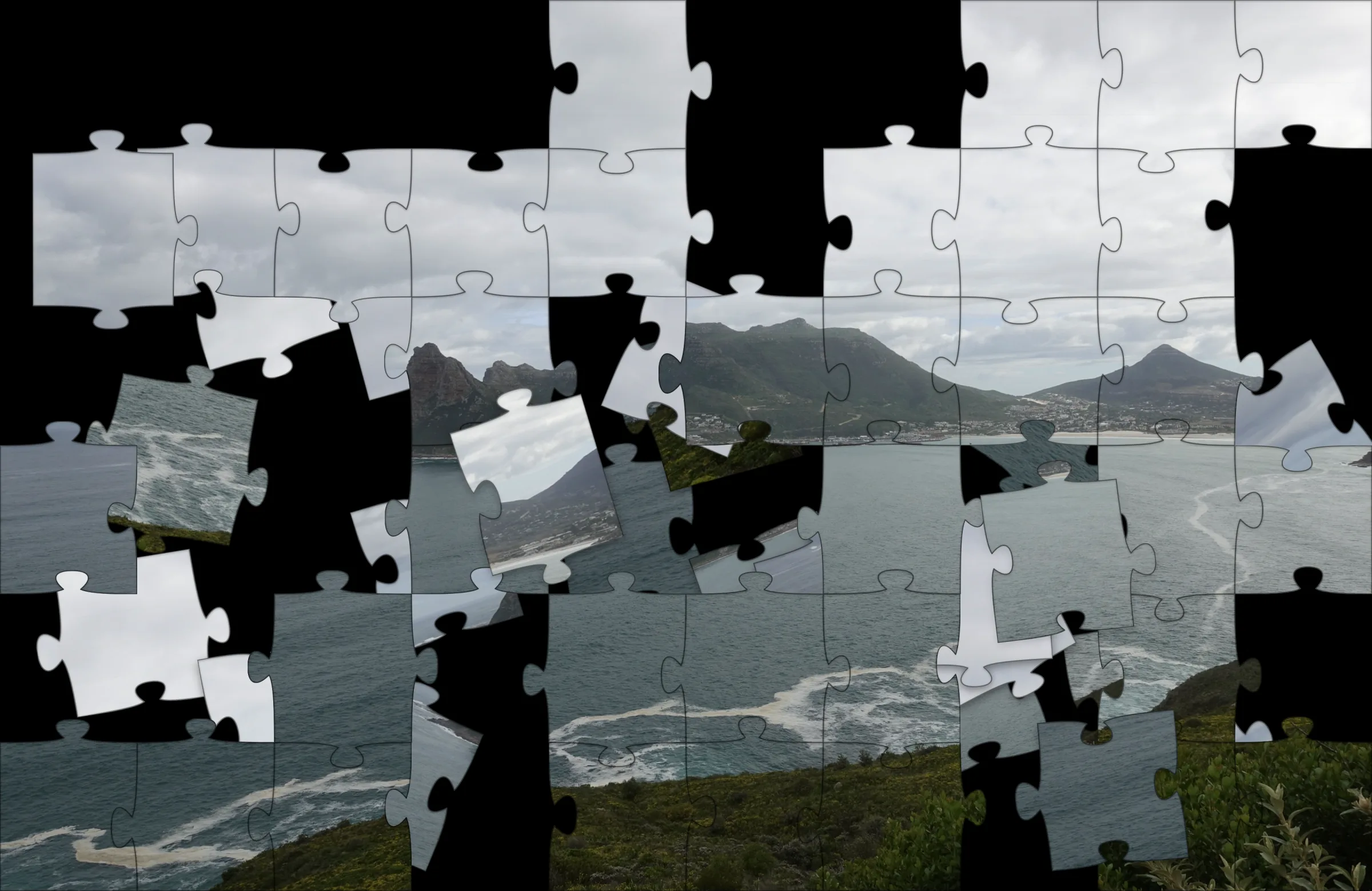
Puzzle: a coastal landscape photo broken into jigsaw pieces, half reassembled

Your screen, in pieces

Your desktop becomes a jigsaw

Puzzle breaks a picture into real interlocking pieces, shuffles them, and sets them back one at a time, the way a hand would.

Use what’s on your screen, blurred so nothing private shows, or a favorite photo, a folder, or a Photos album.
Current screenPhotoFolderPhotos album
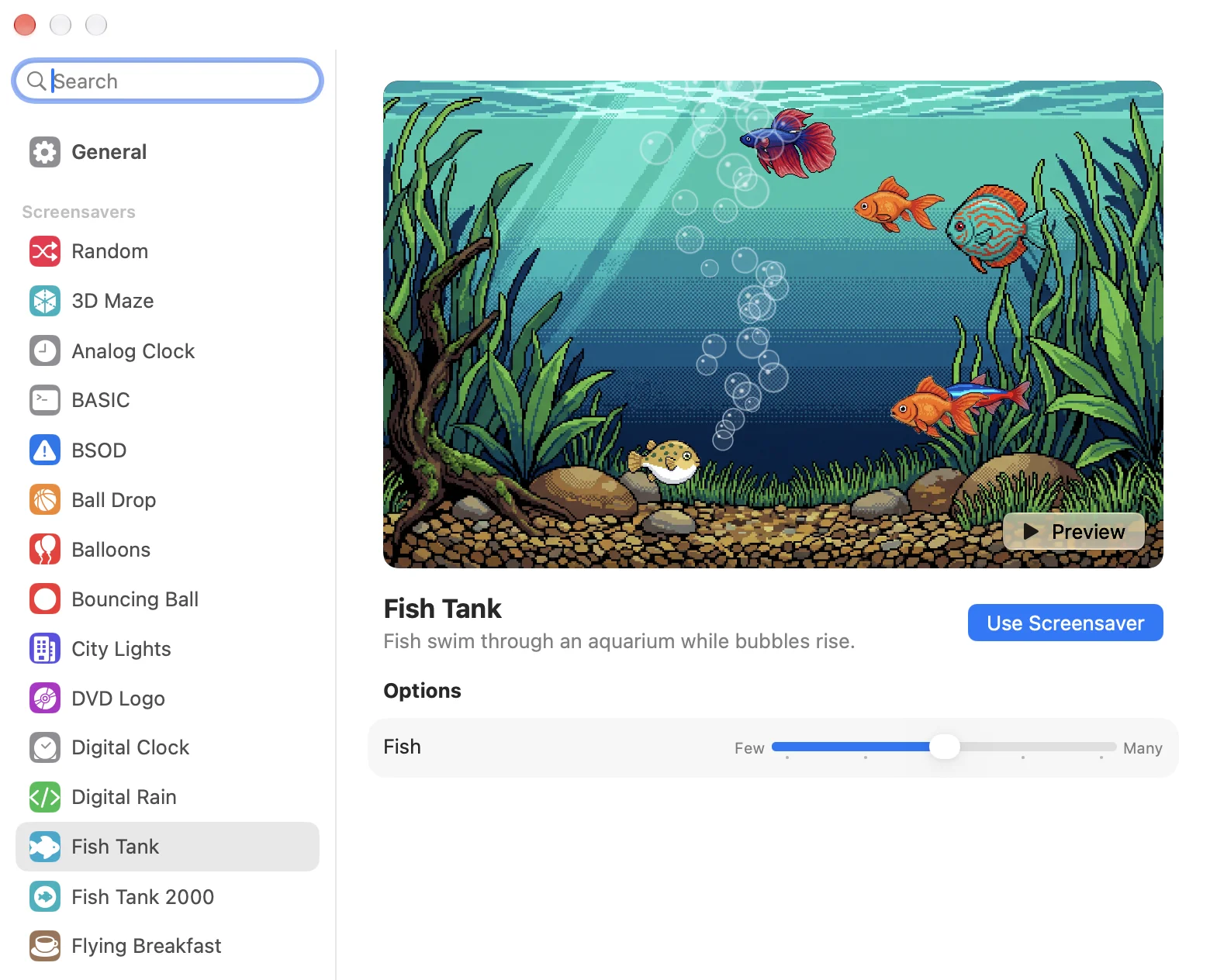
ScreenDream Settings with Fish Tank selected, a live preview, and a Fish slider

Made for the Mac

Pick, preview, tweak

Every screensaver plays live in Settings before you choose it. Adjust the speed, size or colors, pick how long to wait, or set a hot corner.

Turn on Require Password and ScreenDream asks for Touch ID or your login password when you come back. Settings save as you go.

The lineup

28 screensavers, and counting

Bouncing logos and blue screens for the nostalgic. Fish, planets and ski runs for everyone else. New screensavers arrive in free updates, and Random picks a different one every time.

Screensavers
29 itemsMore on the way
00
Random
A different screensaver every time, never the same one twice in a row.
01
3D Maze
A first-person walk through a brick maze in search of the exit.
02
Analog Clock
A clean wall clock with smoothly sweeping hands.
03
Ball Drop
Basketballs rain down and pile up on a gym floor.
04
Balloons
Balloons float up through a blue sky and now and then pop.
05
BASIC
An unseen programmer types and runs Applesoft BASIC programs.
06
Bouncing Ball
A ball drifts across the screen and bounces off the edges.
07
BSOD
A tongue-in-cheek Windows blue screen that never quite finishes.
08
City Lights
A night skyline whose windows wink out as the city goes to sleep.
09
Digital Clock
The current time bounces around the screen.
10
Digital Rain
Green digital rain cascades down a grid of glyphs.
11
DVD Logo
The classic logo drifts and ricochets off the edges.
12
Fish Tank
Fish swim through an aquarium while bubbles rise.
13
Fish Tank 2000
Lifelike fish swim through a planted aquarium while bubbles rise.
14
Flying Breakfast
Winged milk bottles and cereal bowls glide across the sky.
15
Maze
A glowing explorer wanders a fresh maze until it finds the exit.
16
Message
Your own line of text bounces, wobbles and flips.
17
Mower
A pixel-art riding mower mows the grass or your pictures into stripes.
18
Mystify Ribbons
Bouncing polygons trail colored echoes across the screen.
19
Pipes
Pipes grow through a slowly turning 3D lattice.
20
Puzzle
A picture breaks into jigsaw pieces that shuffle and solve themselves.
21
Puzzle Cube
A puzzle cube scrambles itself and then solves.
22
Slopestyle
A pixel-art rider carves down a mountain, SkiFree style.
23
Solar System
A planet turns slowly against a drifting starfield.
24
Starfield
A flight through stars and nebulae with the occasional hyperspace jump.
25
Starfield Classic
Stars stream out from the center like the view from a ship at warp.
26
Thunderstorm
Rain pours down a dark sky lit by frequent lightning.
27
Website
Shows a web page of your choice full screen.
28
Wormhole
Plasma rings stream toward you from a weaving tunnel.
??
More on the way
New screensavers keep arriving in free updates. Got an idea? Tell us.

How it works

Set it once, then forget it’s there

ScreenDream runs on its own, separate from the screen saver built into macOS.

1

It lives in your menu bar

A small icon next to the clock. No Dock icon, no windows in your way. Start a screensaver from the menu any time.

2

It starts when you step away

After the idle time you choose, from one minute to thirty, or the moment you point at a hot corner.

3

It steps aside when you’re back

Move the mouse or press a key and you’re right where you left off.

Every displayEach connected screen runs its own copy of the screensaver.
Private by designNo accounts and no analytics. Your settings stay on your Mac.
Launch at loginTurn it on once and ScreenDream is always ready.
ScreenDream app icon

Get ScreenDream

$4.99, once. No subscription, no ads, no tracking. All 28 screensavers included, plus every new one in free updates.

Coming soon to the Mac App Store
Requires macOS 26 or later · Available only on the Mac App Store